 Microstock Checker
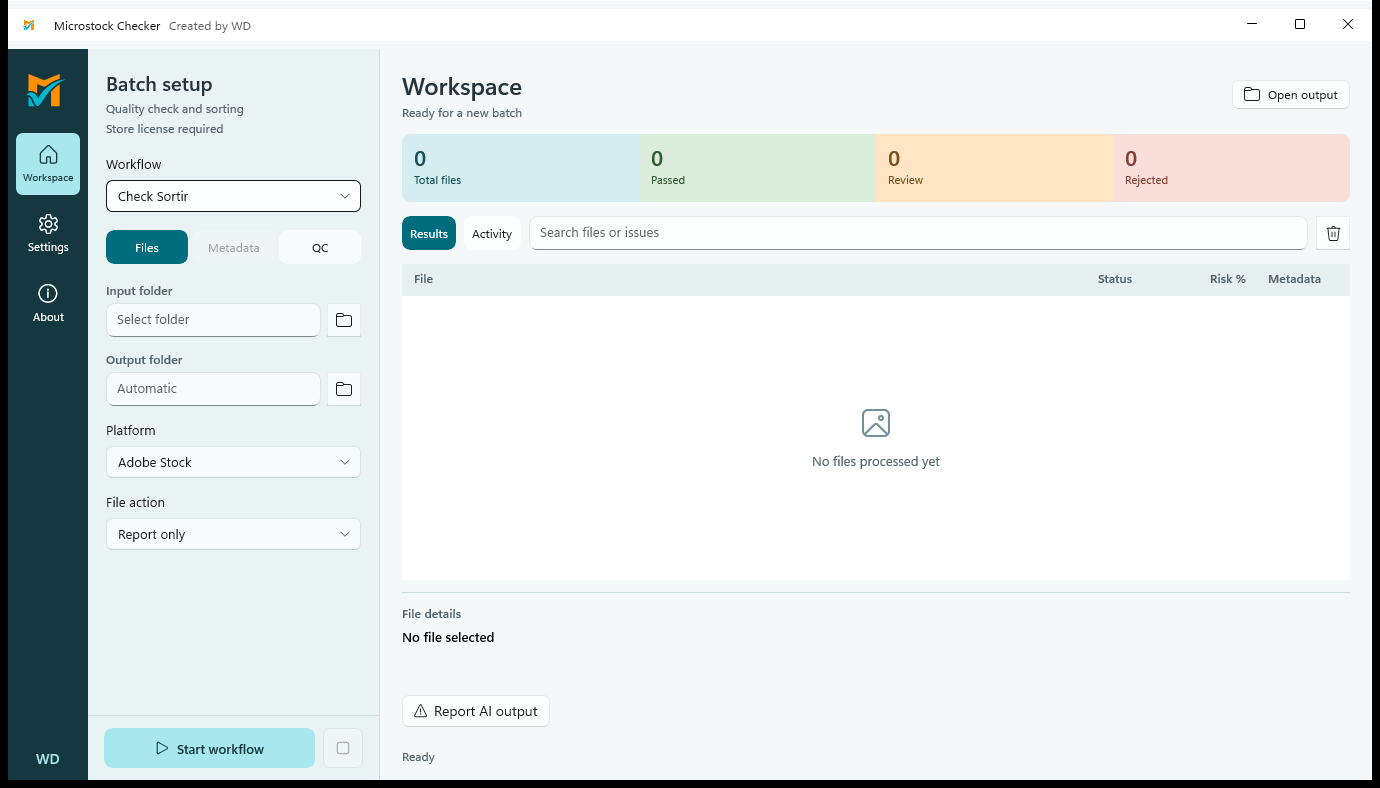
Inspect supported raster files
Run local quality checks on JPG, JPEG, PNG, BMP, GIF and TIFF files. Review findings as preparation for your own submission decision; marketplace acceptance is never guaranteed.
Choose a workflow and inspect its report
Use Check Sortir, Auto Metadata or Combined according to the task. Report-only mode helps you assess results before choosing Copy or Move, with collision protection against overwriting.
Make AI metadata an explicit choice
OpenRouter use is optional and requires your own key and selected model. Image-preview consent starts off; when enabled, the request uses a JPEG preview with a maximum dimension of 1024 pixels rather than the original file and EXIF.
A pre-submission review
Check a small raster batch, review possible quality problems and separate files needing attention. Inspect any suggested metadata yourself before uploading through your chosen marketplace.
Before you begin
Vector files are marked Needs Review; this release does not visually inspect vector content or generate its AI metadata. Video, audio and WEBP are unsupported. Visual hashes are a similarity signal, not proof of identical files. The app UI is English.